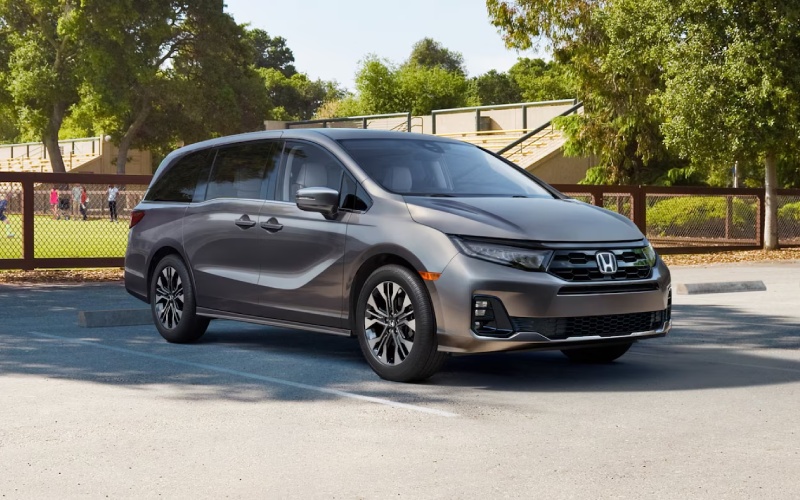
Bob Boyte Honda Moss Point - Can the 2026 Honda Odyssey Rear Entertainment System stream our apps around Biloxi, MS?
Families shopping near Biloxi, MS want to know if kids can watch their favorite streaming apps on the 2026 Honda Odyssey’s Rear Entertainment System without juggling extra tablets or tangled cords. The short answer is that the Odyssey Touring and Elite make it straightforward to stream, thanks to an Advanced Rear Entertainment System with a 12.8-inch high-resolution screen, “Bring Your Own Device” options, Wi-Fi® hotspot capability, HDMI and USB ports, and Bluetooth-compatible headphones. At Bob Boyte Honda Moss Point, we help customers set up a simple and reliable routine so rear-seat viewing works the way your family actually rides.
Below, we break down how the system works, which trims include which features, and the easiest ways to stream around town in Biloxi—from school pick-up lines off Popps Ferry Road to I-10 weekend trips—without draining your phone or distracting the driver.
Why this question matters near Biloxi, MS
Between morning drop-offs, Keesler AFB gate traffic, and longer hauls along Highway 90 to Gulfport or Ocean Springs, rear-seat entertainment is more than a luxury—it is how many Gulf Coast families keep the cabin calm and focused. The Odyssey’s setup lets kids watch on the big screen in back while the driver keeps attention on navigation, traffic, and conversation up front. With Multi-zone audio, Bluetooth-compatible headphones, and smart device connections, you can keep the front row quiet while the second and third rows enjoy the show.
What the Odyssey includes for streaming
To make the right plan for your family, start with what is built in. Here is a quick, trim-specific snapshot, so you know what to expect when you test drive with our team in Moss Point.
- Rear Entertainment System: Standard on Touring and Elite, featuring a 12.8-inch high-resolution screen sized for easy viewing by the second and third rows.
- Wi-Fi® hotspot capability: Standard on Touring and Elite; requires a data plan from AT&T® for wireless streaming in the vehicle.
- Bring Your Own Device: Cast directly from compatible devices or connect via the HDMI port to play your preferred apps and content.
- Multi-zone audio: Standard on Touring and Elite, so the rear zone can enjoy audio while the front remains quiet—or plays something different.
- Bluetooth-compatible headphones: Pair personal headphones so rear passengers can listen privately and the front stays focused.
- USB charging access: Second-row USB ports are standard on all trims; a third-row USB port is standard on Sport-L and above to help keep devices charged.
- CabinWatch® and CabinTalk®: CabinWatch® is standard on Touring and Elite; CabinTalk® is standard on all trims, so you can keep an eye on the back and speak through rear speakers or compatible headphones.
Together, these features give you multiple ways to stream: cast from a smartphone, plug in a device with HDMI, or let kids use their own devices while charging from second- or third-row ports—without adding clutter to the cabin.
Two easy ways to stream your apps
Honda designed the 2026 Odyssey so families can bring the services and apps they already love. You can cast from a compatible device or hardwire a device via HDMI. Our product specialists can demo both in minutes at Bob Boyte Honda Moss Point.
Option A: Cast directly from your compatible device. This matches the “Bring Your Own Device” philosophy—use the apps you already subscribe to on your phone and cast to the rear screen. For uninterrupted viewing on long drives across the Bay of Biloxi or stretches of I-10, pair casting with the in-vehicle Wi-Fi® hotspot on Touring or Elite.
Option B: Use the HDMI port with a device. Plug in a laptop or other HDMI-enabled device to play shows directly on the big screen. This option also works well if you pre-download episodes or movies to your device for offline playback, so kids can keep watching in parking garages or anywhere cell coverage dips.
Quick setup checklist for smooth streaming
Here is a practical checklist our Biloxi-area customers use to make rear-seat streaming seamless, whether you are waiting in the school line or headed east toward Mobile for a weekend tournament.
- Confirm your trim: Touring and Elite include the Advanced Rear Entertainment System and Wi-Fi® hotspot capability; Multi-zone audio is also standard on these trims.
- Decide your method: Choose casting from a compatible device or connect a device via the HDMI port—both work great for popular streaming apps.
- Plan for data: For live streaming on the road, activate the vehicle’s Wi-Fi® hotspot with an AT&T® data plan—or pre-download episodes to your device to watch offline.
- Pair headphones: Connect Bluetooth-compatible headphones for the kids so the front row can stay quiet or play different audio.
- Select the source: Use the rear screen interface to choose the casting input or HDMI source, then press play on your device.
- Manage zones: With Multi-zone audio, let the rear zone play while the front zone remains quiet—or continues its own music or podcast.
Once you do this routine once or twice, it becomes second nature—and you avoid the chaos of passing tablets or juggling chargers between seats on Beach Boulevard.
Pro tips from our local team
A few small habits make a big difference in everyday use. Our team has gathered these real-world suggestions from Odyssey owners who drive across the Gulf Coast and through Biloxi daily.
- Preload for peace: If you are heading through areas with spotty service, download episodes to your device before you go; then use HDMI for smooth, offline playback.
- Keep the front focused: Use Multi-zone audio and Bluetooth-compatible headphones so the driver can focus on navigation and conversation while the back rows enjoy the movie.
- Use CabinWatch® and CabinTalk®: Check on sleeping toddlers at night with CabinWatch® or use CabinTalk® to get everyone’s attention without turning around.
- Charge strategically: Second-row USB ports are standard across all trims, with a third-row USB on Sport-L and above—place devices in those rows to avoid low-battery surprises.
- Beat the heat: Remote engine start and tri-zone automatic climate control help keep the cabin comfortable before you load in; second- and third-row sunshades reduce glare on the screen.
If you are also hauling gear—chairs for youth sports at Hiller Park or groceries from Pass Road—remember the Odyssey offers up to 158 cubic feet of total cargo space when you remove the 2nd-row seats and stow the one-motion 60/40 split 3rd-row Magic Seat®. Bag hooks on the back of the Magic Seat® help keep snacks and smaller bags upright while the show goes on.
Even beyond entertainment, the Odyssey’s cabin is tuned for everyday comfort: leather-trimmed interior standard on all trims, available heated and ventilated front seats, a one-touch power moonroof, and a larger 9-inch touch-screen up front with wireless Apple CarPlay® and Android Auto™ compatibility for the driver’s apps. It all works together so the front stays organized and the back stays entertained.
Want a hands-on walkthrough? Our team at Bob Boyte Honda Moss Point will connect your device, pair headphones, and show how to switch sources so you leave confident. We are a short drive from Biloxi, and we can set up a route that mirrors your daily routine to test how the system performs where you actually drive.
Frequently Asked Questions:
Which 2026 Odyssey trims include the Advanced Rear Entertainment System?
Touring and Elite include the Advanced Rear Entertainment System with a 12.8-inch high-resolution screen. These trims also include Wi-Fi® hotspot capability and Multi-zone audio. CabinWatch® is standard on Touring and Elite, and CabinTalk® is standard on all trims.
Do I need a separate streaming device for the rear screen?
No. You can cast from a compatible smartphone directly to the rear screen or connect a device using the HDMI port. Many families use the in-vehicle Wi-Fi® hotspot on Touring and Elite for on-the-go streaming, or they pre-download shows to a device and play them via HDMI for offline viewing.
Will the rear screen work if we are out of cell coverage?
Yes, as long as the content is available on your device. Pre-download episodes or movies before you leave, then play them from your device via HDMI. This is a great option for stretches where coverage can drop or in covered parking areas around the Coast.
Can the front cabin stay quiet while the back watches a show?
Yes. Multi-zone audio on Touring and Elite lets the rear zone play while the front remains quiet or plays something different. Pair Bluetooth-compatible headphones for the rear so the driver and front passenger can focus on navigation and conversation.
Are headphones included with the system?
The system supports Bluetooth-compatible headphones so rear passengers can listen privately. Bring your preferred headphones, or ask our team about available accessories to complete your setup.
Can I charge devices in both the second and third rows?
Yes. Second-row USB charging ports are standard on all trims, and a third-row USB charging port is standard on Sport-L and above. That means fewer dead batteries and fewer cords stretching across the cabin.
If you would like to see how everything works in person—casting from your own phone, trying the HDMI port, pairing headphones, and adjusting audio zones—visit us at Bob Boyte Honda Moss Point. We will configure the 2026 Honda Odyssey to your family’s routine, show you CabinWatch® and CabinTalk® in action, and walk through cargo options like the one-motion 60/40 split 3rd-row Magic Seat® and removable Magic Slide® 2nd-row seats. Our team is here to make family tech simple for daily life around Biloxi, MS.
Ready to experience the Advanced Rear Entertainment System and the Odyssey’s family-first cabin in person? Contact Bob Boyte Honda Moss Point to schedule a test drive. We will have an Odyssey Touring or Elite ready, connect your devices on-site, and make sure everyone in the back is smiling before you pull out of our drive.